

Quickstart
1
Create a session on your server
2
Mount the component
3
Handle webhooks
Callbacks update your UI. Webhooks update your records.
Components
Each component opens with a session whosepurpose matches it.
Most integrations mount
status wherever the borrower sees their account, and intake behind a “Get financing” button. The status card opens the other screens itself.
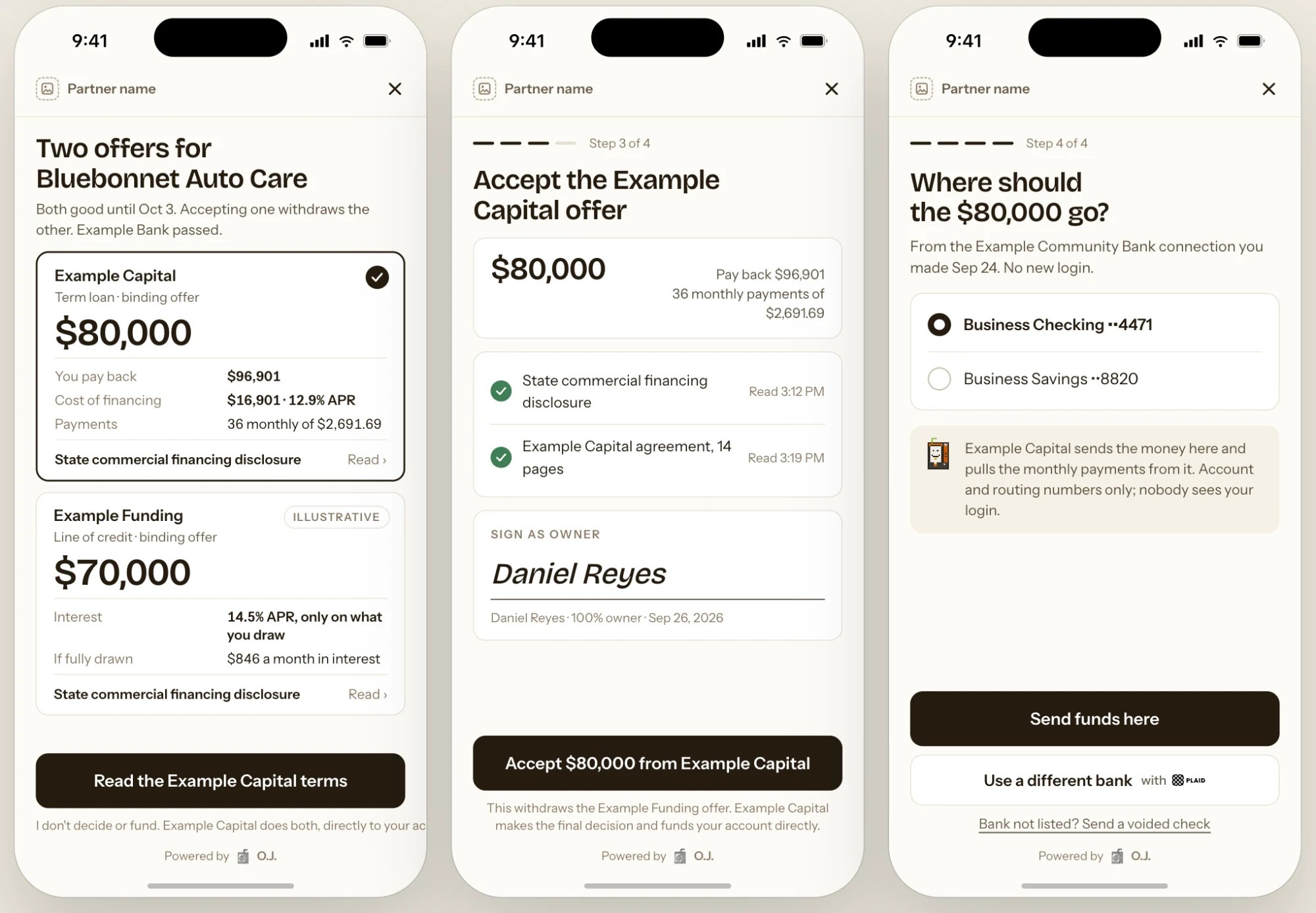
offer_acceptance: compare offers, accept and sign, then choose the funding account from a bank the borrower already connected.
Ways to embed
On mobile, open the hosted
url in an in-app browser or a WebView.
Callbacks
If the token expires, create a new session and reopen the component. The borrower’s progress is saved.
Theme
Screen copy, disclosures, consent language, the credit authorization and required fields can’t be changed.
Security
- Tokens are created on your server, are single-use, expire in 15 minutes, and are scoped to one purpose and one referral.
- Components open only on the origins listed in your policy’s
allowed_origins.localhostis allowed in the sandbox. - Components render in an isolated frame. SSNs, bank logins and documents go to O.J. and Plaid; your page receives only ids and outcomes.
- O.J. reviews the page hosting the component before production access.